
Equipment Rentals
NOTE: We are pleased to announce that our equipment reservation system has been updated to a new platform powered by Airtable. This change is intended to streamline the reservation process and improve the overall user experience for all students and organizations.
Please review the updated Reservation Policy and Reservation Instructions below for important information regarding equipment check-out, use, and return procedures.
Reservation Policy:
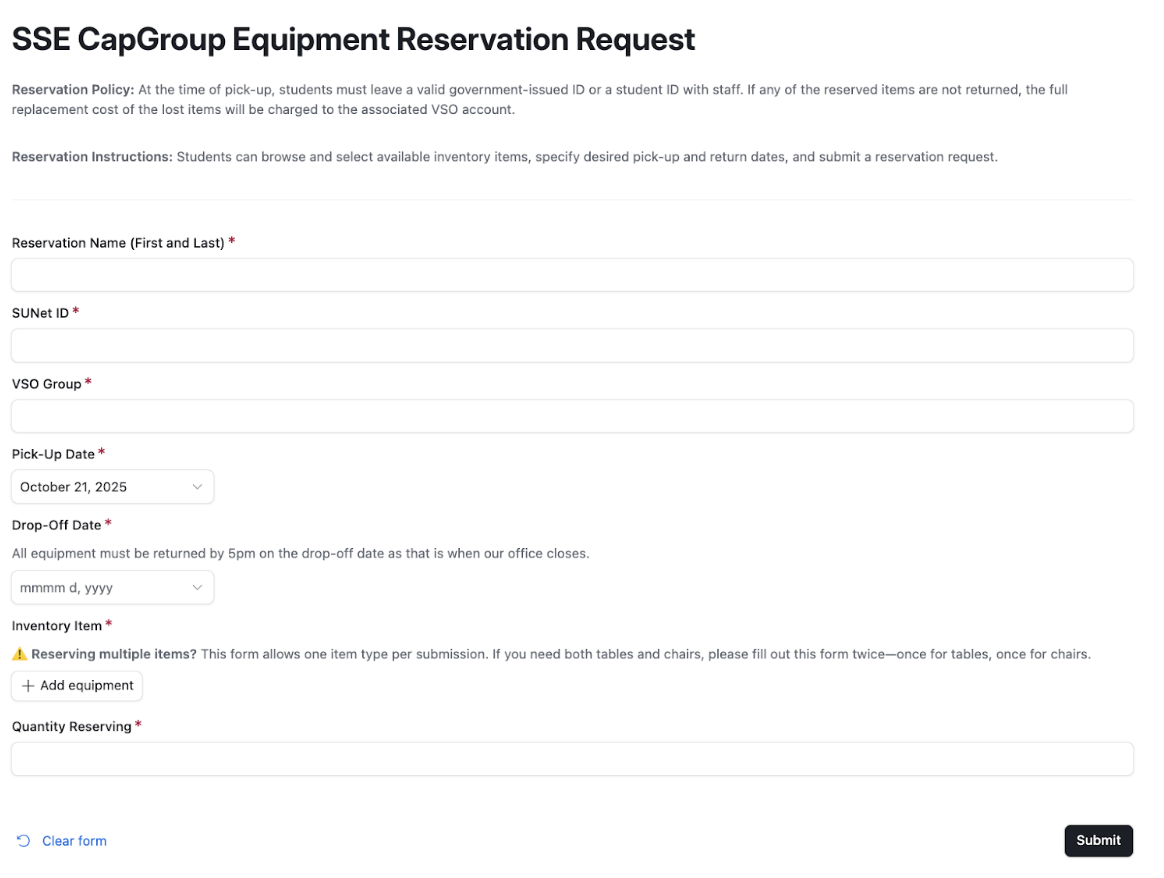
At the time of equipment pick-up, students are required to present and leave a valid government-issued identification card or Stanford student ID with staff. In the event that any reserved items are not returned, the full replacement cost of the missing equipment will be charged to the corresponding VSO account.
We strive to keep this equipment rental service free of charge and accessible to all VSO groups. To maintain this benefit, we rely on the trust and accountability of all users. Please handle all items with care and ensure they are returned promptly and in good condition so that this service can continue to be available to everyone.
Reservation Instructions:
Students may browse the available inventory, select the desired equipment, indicate preferred pick-up and return dates, and submit a reservation request through the new online Airtable form: https://airtable.com/apppIjwmhlOH4P4tJ/pagOAB5BJ2gTtDBWx/form
How to Reserve Equipment:
Scan the QR code or visit the reservation link to access the form. NOTE: You must sign in with your Stanford email to be able to make a reservation
Fill out your information including your name, SUNet ID, and VSO group
Select your pick-up date and drop-off date (all equipment must be returned by 5pm on the drop-off date)
Choose your inventory item and quantity needed
Submit your request
Important Reminders:
Equipment is available for VSO use only
Pick-up and returns are only during business hours (9:00 AM - 5:00 PM)
If you need multiple types of items (like both tables and chairs), you'll need to fill out separate forms for each item type
Your ID will be held until all reserved items are returned
We will not be accepting reservations for over the weekend
For any questions or additional assistance, please contact banking@sse.stanford.edu. We are committed to ensuring that the equipment reservation process remains efficient and accessible for all VSO groups.