
Step-by-Step Guide to Making a Transfer Request
1. Log in to granted.stanford.edu
Use your Stanford credentials to access the Granted platform.
2. Select "Transfer" on the top tab
Once logged in, find and click the "Transfer" option on the main navigation bar at the top of the page.

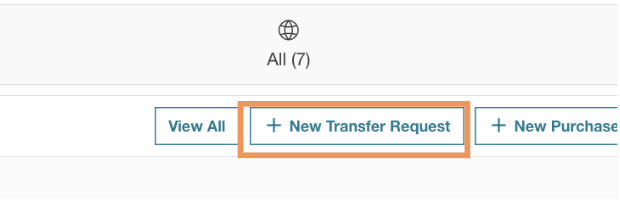
3. Select "New Transfer Request"
In the Transfer section, click the "New Transfer Request" button to initiate the process.
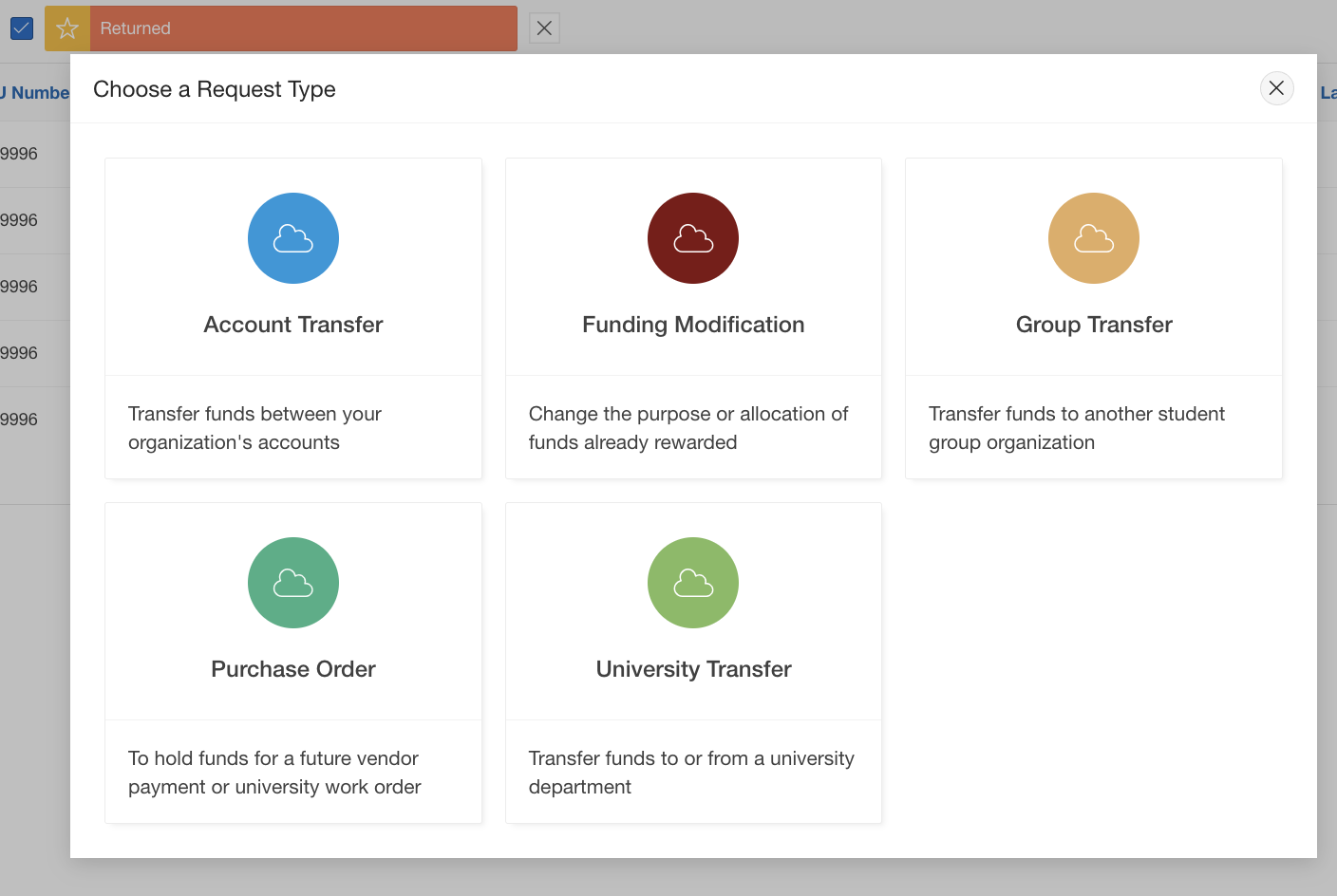
4. Choose the Transfer Type
Select the type of transfer you'd like to make from the available options (Account Transfer, Funding Modification, Group Transfer, Purchase Order, University Transfer).
For more guidance, refer to the Transfer Overview page for details on each type.
5. Fill Out the Necessary Information
Complete the required fields for the transfer, such as documentation, references, and reasons for the transfer, based on the type you selected.

6. Submit the Transfer Request
Review your information and submit your transfer request for processing.