
Funding Modifications
A funding modification is used to reallocate funds that have already been given to a VSO for a different purpose than originally intended. For example, if a VSO was given money in their food account for a fall kickback event but later decided to allocate more funds toward equipment in their storage account, they would submit a funding modification. This allows them to update the line description and/or transfer the money to the appropriate account.
Please note that approval of funding modifications is at the discretion of ASSU. To avoid any issues, refrain from making purchases until the modification has been officially approved.
How to Create a Funding Modification:
STEP 1: Log in to GrantEd.
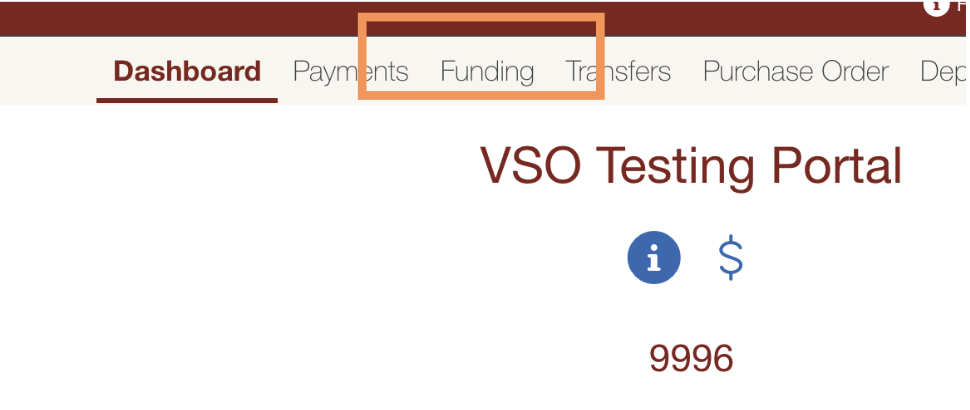
STEP 2: On the dashboard, select the "Funding" tab.
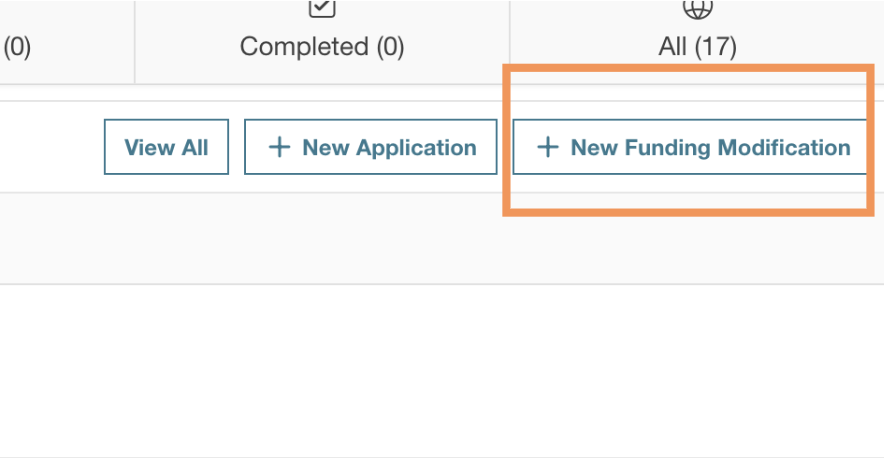
STEP 3: Click on "New Funding Modification" to start your request.
STEP 4: Complete the necessary information.
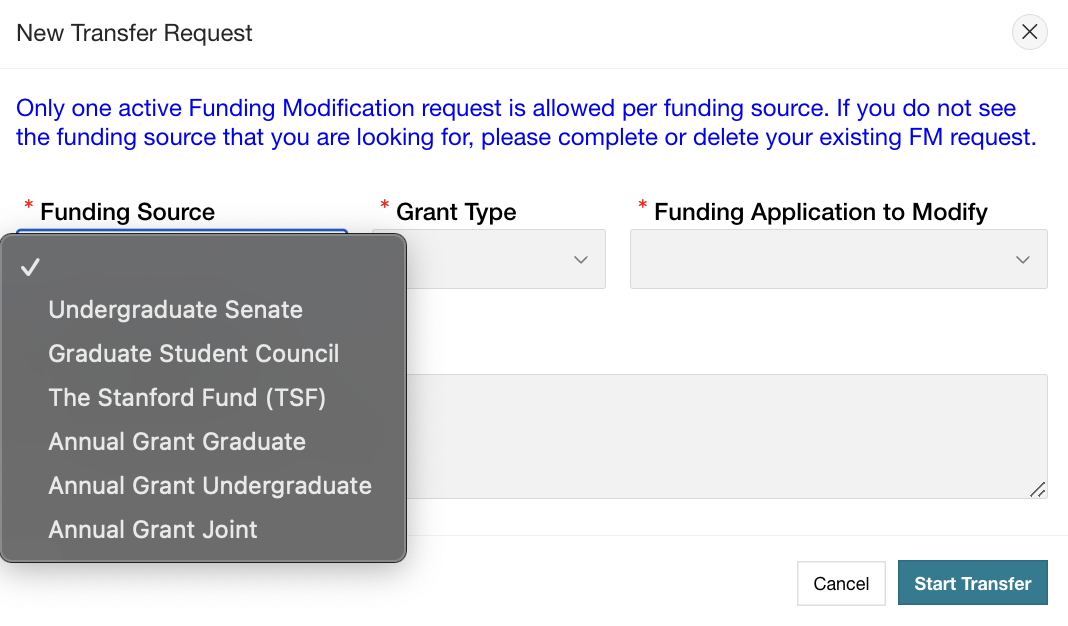
STEP 5: Submit your transfer
STEP 6: Wait for the relevant funding bodies to vote on your request.
STEP 7: Make revisions as necessary, based on any feedback.
STEP 8: Wait until the funds are deposited into your account before submitting any payment requests.