
Funding Application (Quick & Annual Grants)
A funding application is a formal request made to the ASSU (Associated Students of Stanford University) for VSO financial support. VSOs (Voluntary Student Organizations) can apply for different types of grants based on their needs:
Quick Grant: Designed for small events or urgent logistical needs. You must apply at least two weeks before your event to ensure approval and processing. Since there is no retroactive funding, purchasing anything before approval may result in no reimbursement. The total grant amount across all applications is capped at $7,500 per academic year.
Annual Grant: For larger funding requests over $7,500 for the following academic year. VSOs apply during the Winter Quarter for the next year’s budget. Undergraduate VSOs must request over $7,500, but graduate groups can apply below that threshold. The grant is capped at no more than 5% above the previous allocation, and those who receive this grant cannot apply for other ASSU funding.
Make sure to follow the ASSU funding policies closely for a higher chance of approval. The ASSU has full discretion over whether a request will be funded.
How to Create a Funding Application:
STEP 1: Log in to GrantEd.
STEP 2: On the dashboard, select the "Funding" tab.
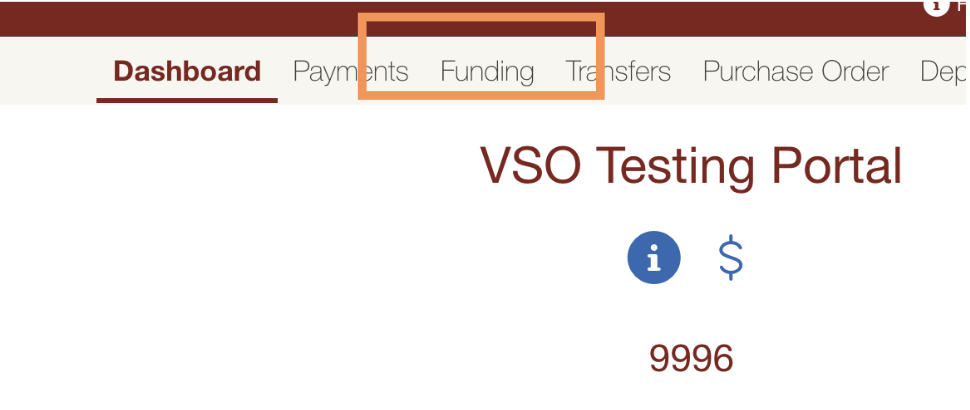
STEP 3: Click on "New Application" to start your request.
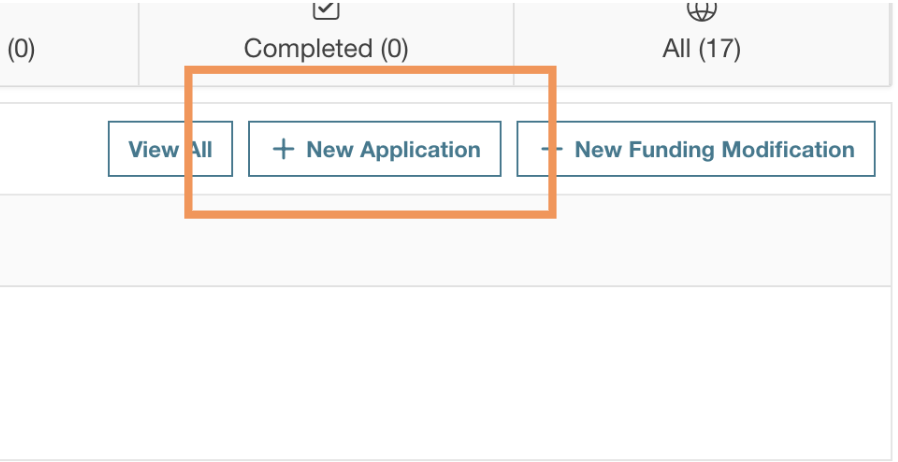
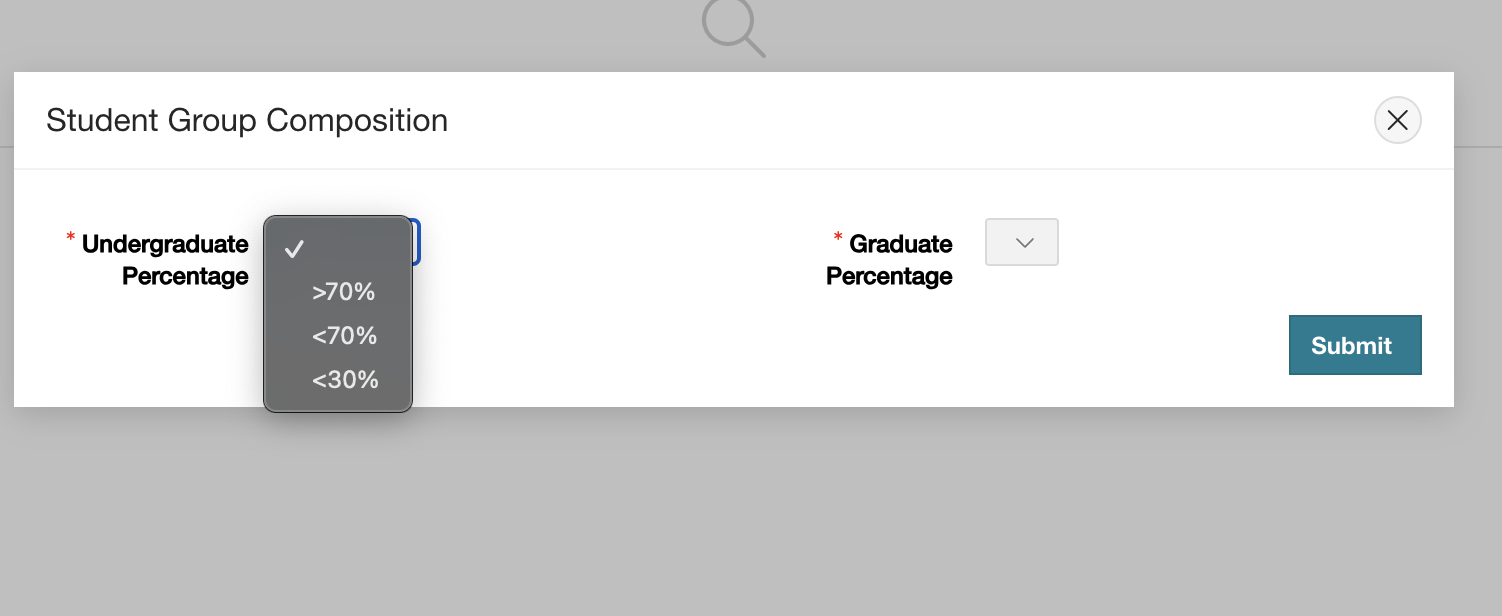
STEP 4: Fill out the VSO demographic section. This will determine which ASSU funding body will review your application.
STEP 5: On the next page, select your funding source and fill out the required details.
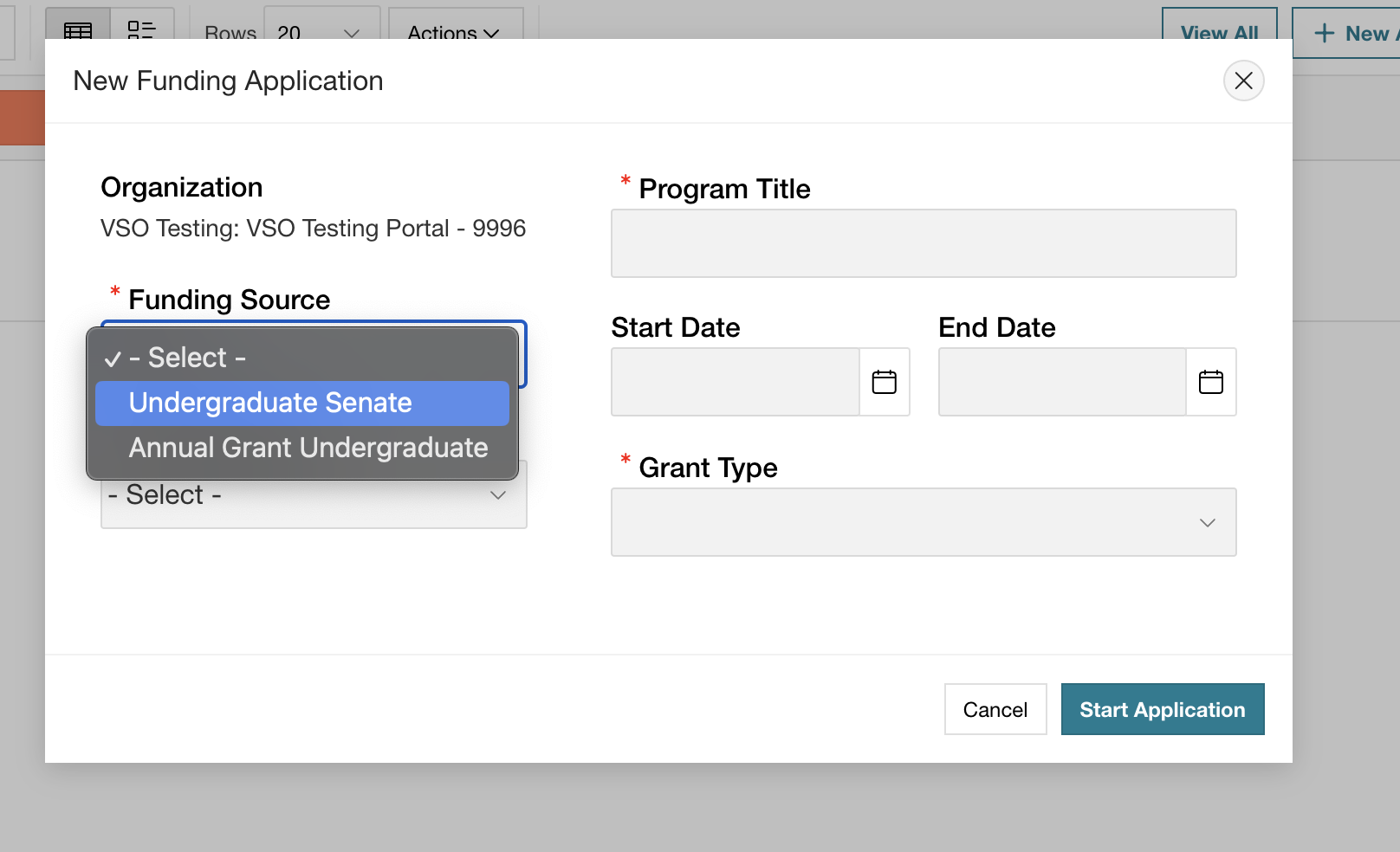
STEP 6: On the next page, provide the required details:
The account where the funds should be deposited.
The specific item or event you are requesting funding for.
The amount you're requesting.
Any additional information or questions required by ASSU
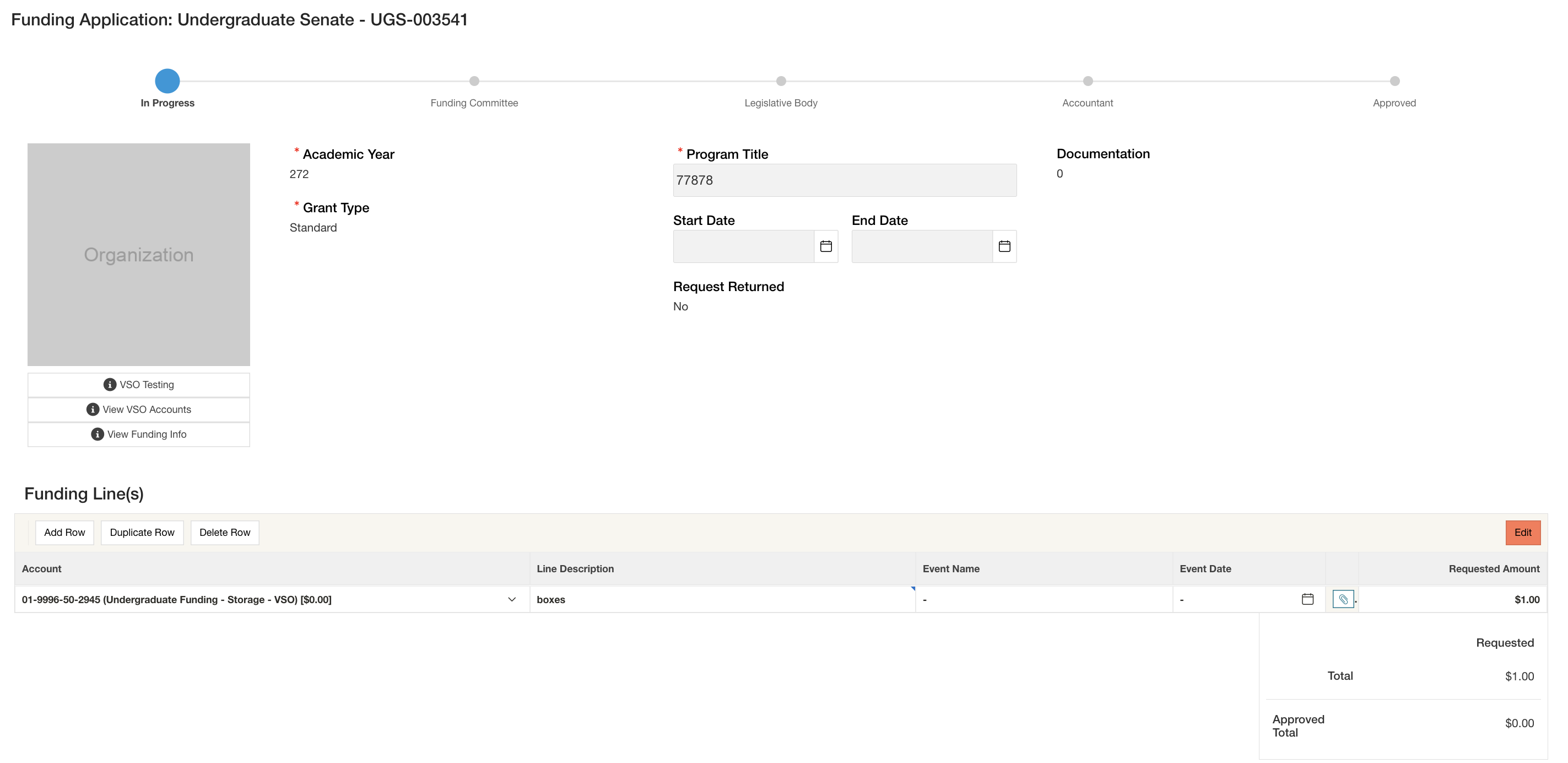
STEP 7: Submit your application.
STEP 8: Wait for the relevant funding bodies to vote on your request.
STEP 9: Make revisions as necessary, based on any feedback.
STEP 10: Wait until the funds are deposited into your account before submitting any payment requests.