
Opt-In/Out of Direct Deposit for GrantEd Reimbursements
Before a student can be reimbursed by a Voluntary Student Organization (VSO) on GrantEd, they must first opt-in or opt-out of direct deposit reimbursement. The system will not allow the submission of reimbursement requests for students who have not made this selection.
Why Opt-In?
We strongly encourage all students to opt-in to direct deposit for faster, more secure payments. By opting in, you help us reduce the number of printed checks, which improves payment security and contributes to environmental sustainability by saving paper.
Please note that Direct Deposit is only available to Undergraduate, Graduate, and Postdoctoral students and can only be used for reimbursements.
How to Opt-In/Out:
Direct deposit must be enabled in Axess with a linked bank account.
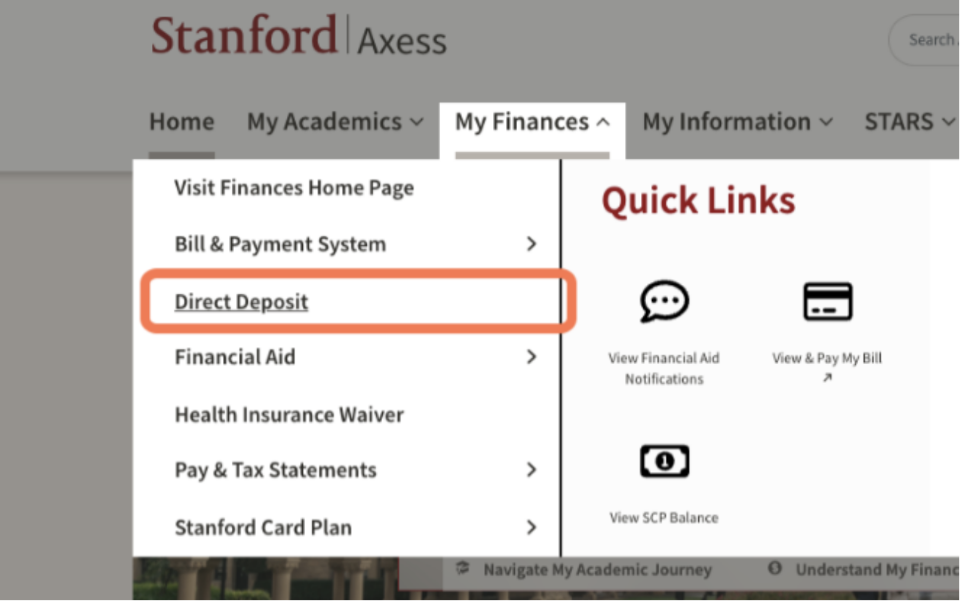
Go to Axess > My Finances > Direct Deposit. Enroll and add banking information.
Note that this differs from having a bank account linked to the tuition bill payment
system.
Log onto granted.stanford.edu. If this is your first time accessing the site, it will load and sync your account.
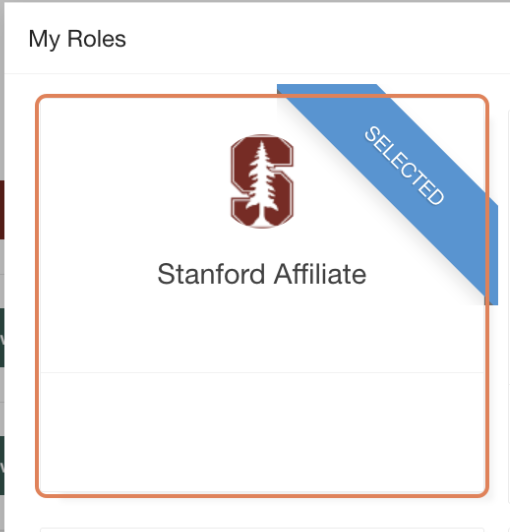
Select the Stanford Affiliate role when the My Roles pop-up window appears.
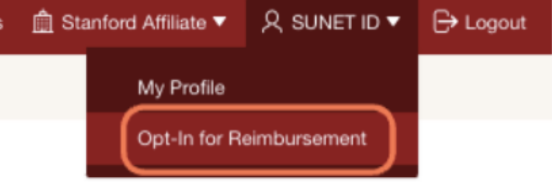
Click the dropdown menu on your SUNET ID in the top right corner. Then “Opt-In for
Reimbursement.”
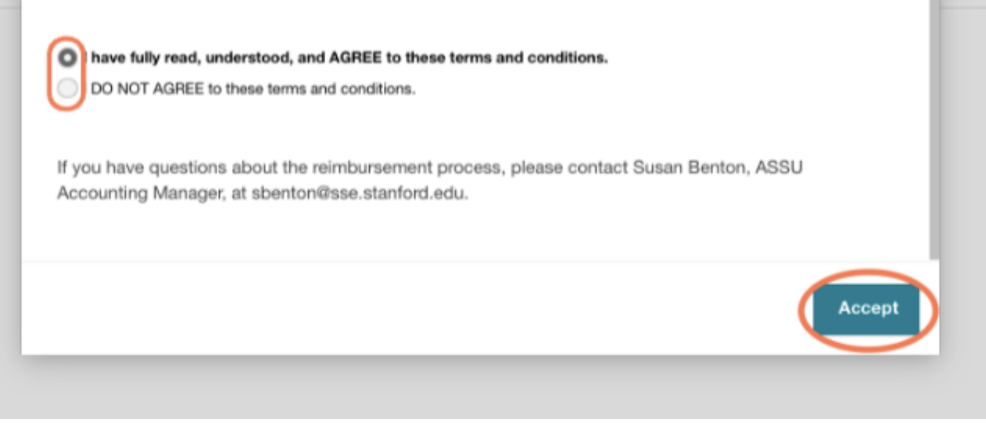
Read over the terms and conditions, and if you agree, select the agree option to opt-in and Accept. If you would like to opt-out and only receive paper checks, then decline the terms and conditions.
Success! Your subsequent Student Reimbursement should be processed as an electronic delivery (as long as the FO selects that option)!